
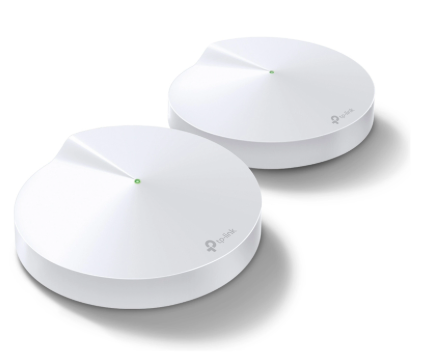
| Method: Using a mobile app for router settings
Note that it does not support setup via a web browser and the configuration needs to be done via Deco App.
Also note that it is possible to access it from multiple devices using the same TP-Link ID; however, it may only work on a single device in some cases.
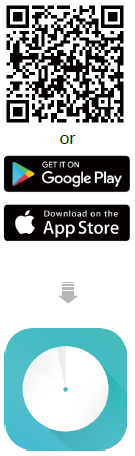
Step-1. Get the Deco App
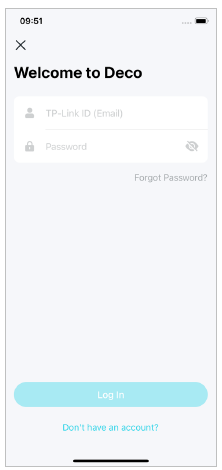
Step-2. Log in or Create a TP-Link ID
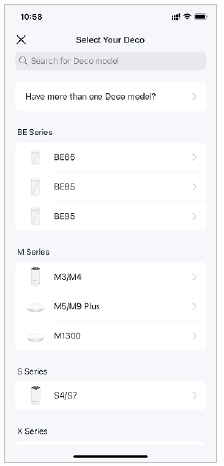
Step-3. Select your Deco model
Step-4. Plug in your device
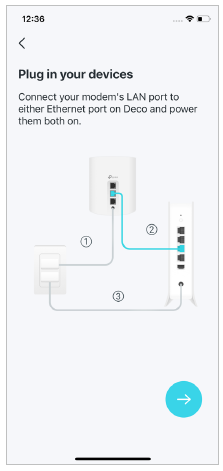
Step-5. Wait until your Deco is ready for setup
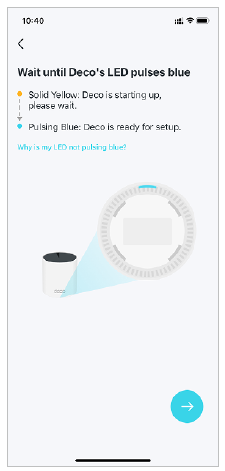
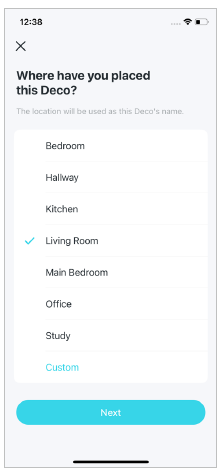
Step-6. Specify your Deco’s location
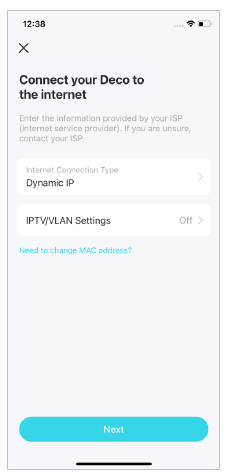
Step-7. Connect your Deco to the internet (Very Important)
– Internet Connection Type: Dynamic IP
– IPTV/VLAN Settings: Off
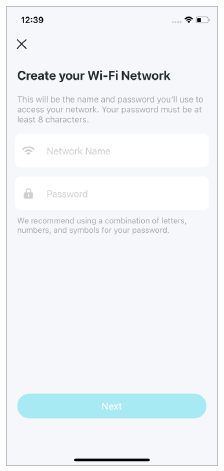
Step-8. Create your Wi-Fi network
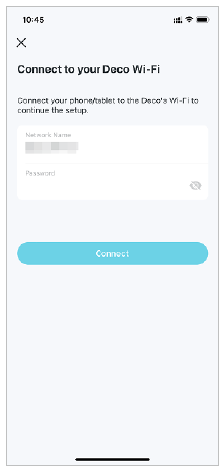
Step-9. Connect to your Wi-Fi network
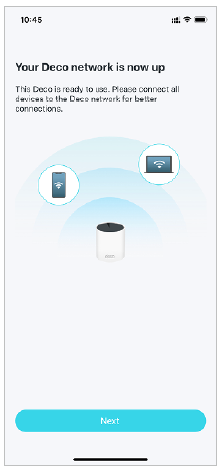
Step-10. Setup complete
Reference
Manual: Deco App User Guide_REV3.1.0_FW1.7.0
Download Link: https://www.tp-link.com/us/support/download/deco-m5/