
| Email Setup on iPad
Step-1. Mail App settings
– Go to Settings > Mail, then tap Accounts
– Username: (full email address e.g. wntest@worldnet.co.nz)

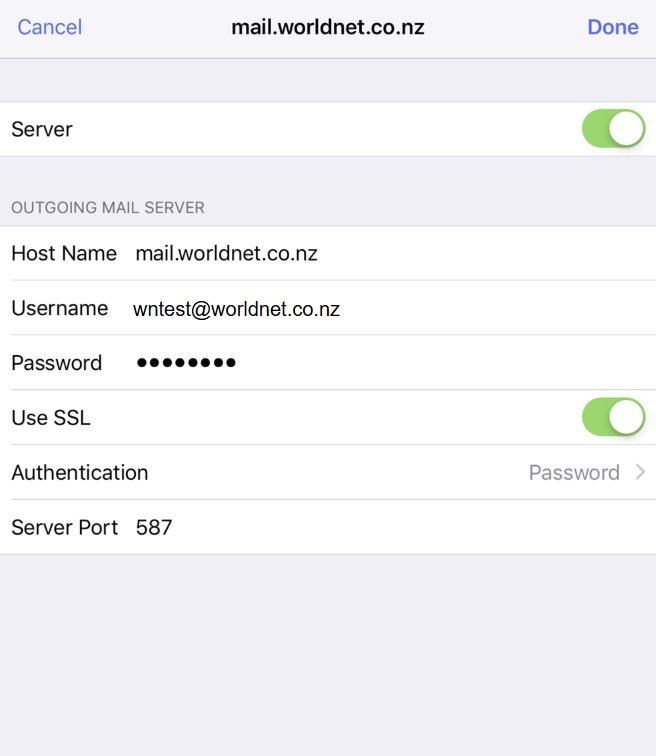
Step-2. Outgoing mail server (SMTP) > Click [SMTP]
– Host Name: mail.worldnet.co.nz
– Username: (full email address e.g. wntest@worldnet.co.nz)
– Password: (your email address password)
– Use SSL: Enabled (Green)
– Authentication: Password
– Server Port: 587
Step-3. Incoming mail server (IMAP) > Click [Advanced] and scroll down
– Use SSL: Enabled (Green)
– Authentication: Password
– IMAP Path Prefix: /
– Server Port: 993
